

✨ NEW Content Intelligence is here! Make your content unmissable to AI search
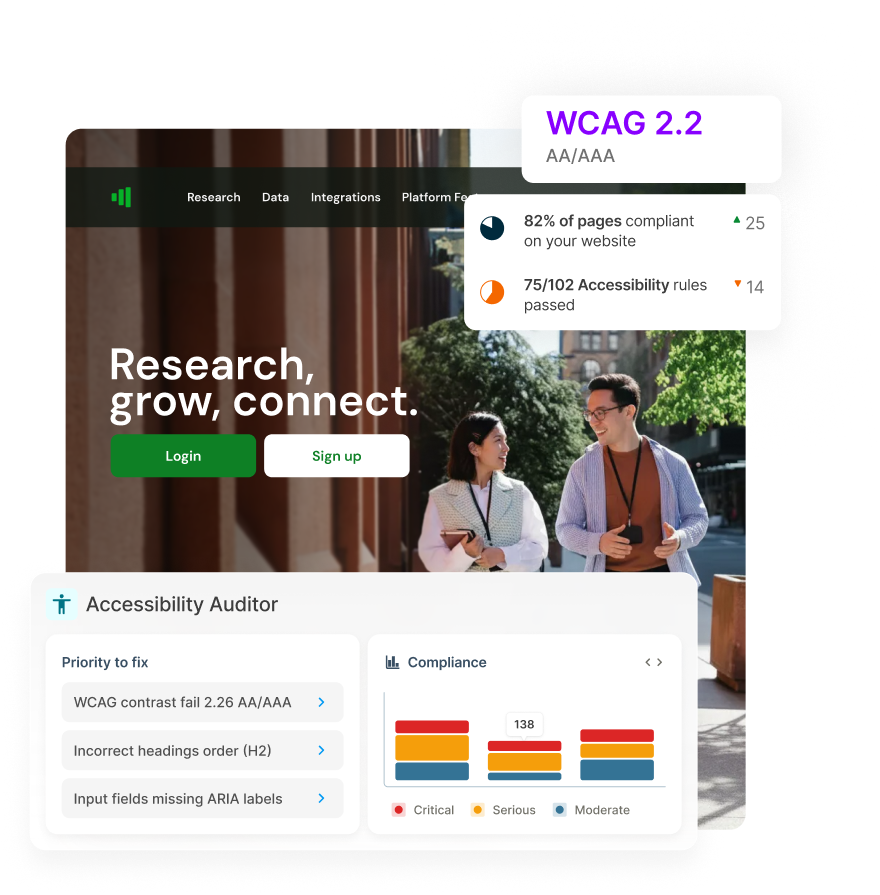
Image showing Squiz  Accessibility Auditor

Accessibility Auditor

Find accessibility issues fast and fix the ones that matter most. Automated scans test against WCAG 2.2 AA/AAA standards, prioritize high-impact issues and provide clear guidance on fixes so you can stay compliant and deliver experiences that work for everyone.

Icon Accessibility

Keep pace with regulations

Automatically scan against WCAG 2.2 AA/AAA and regional standards (like ADA and EAA) as requirements continually evolve.

Icon List

Get actionable fix guidance

AI-generated code and content suggestions show you exactly what to fix and how - with issues prioritized by impact.

Icon Smile

Deliver accessible experiences

Build inclusive experiences that serve all users equally, making your content easy to discover and access, however people find you.

Turn accessibility issues into actionable fixes

See your accessibility health at a glance

A single score tracks where you stand based on how many accessibility issues exist, how critical they are, and which standards they affect. Visual graphs show which problems have been resolved and which are new, turning raw data into trends you can actually understand.
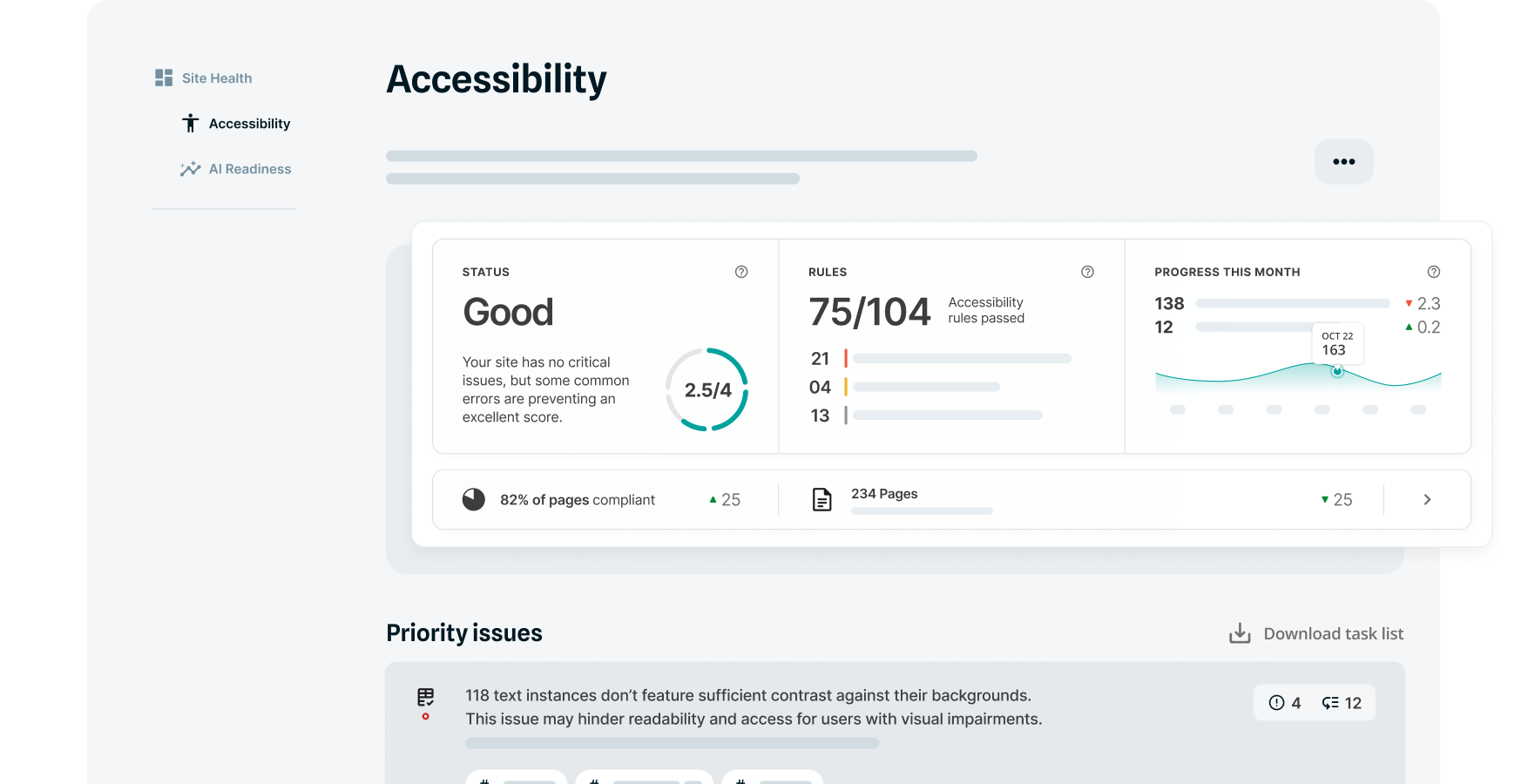
Example Squiz interface accessibility dashboard

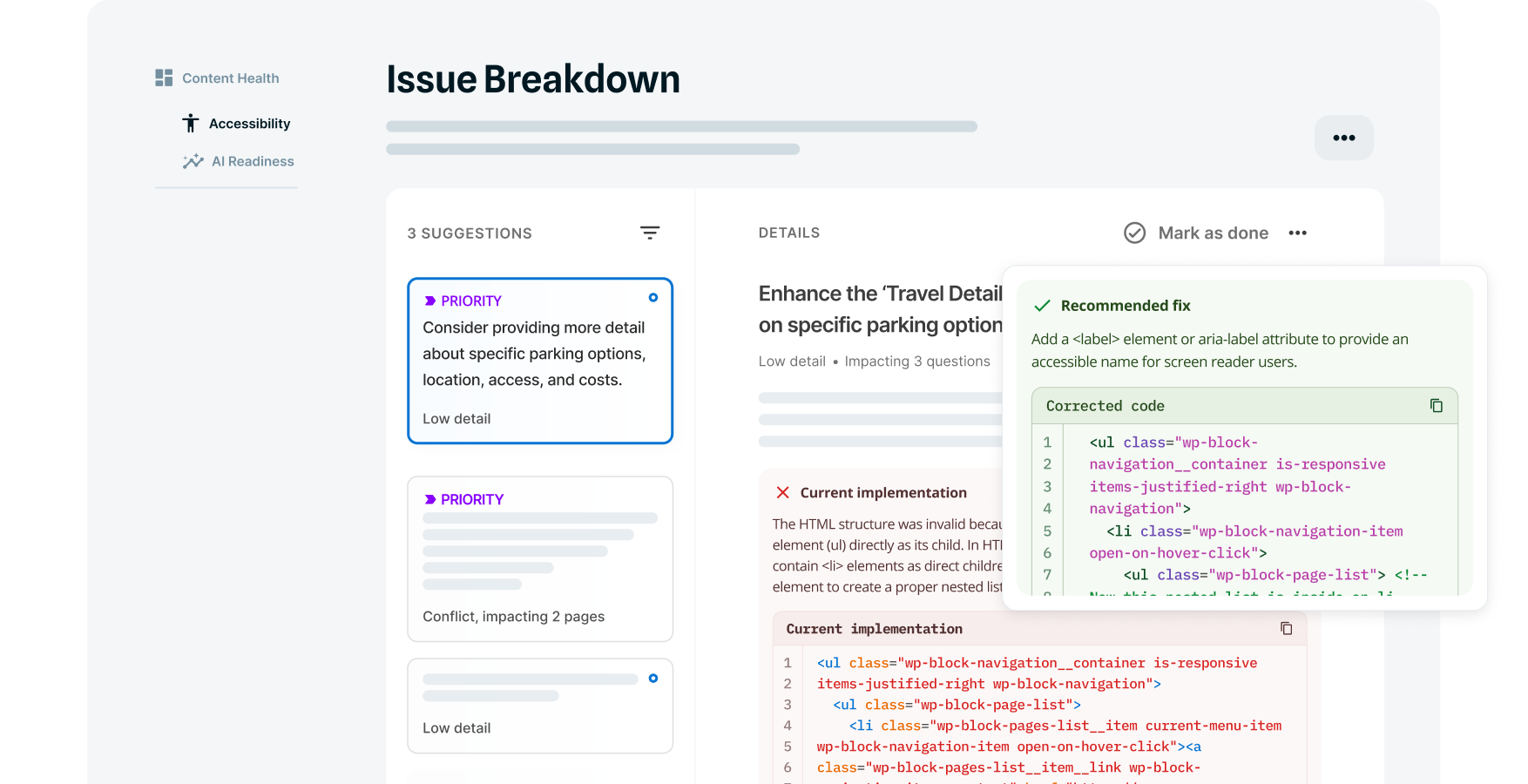
Get specific guidance on what to fix first

Start with the fixes that matter most. AI recommendations prioritize problems by how many pages they affect and how critical they are, helping you tackle high-impact fixes first. Get specific content examples or code snippets that show exactly how to resolve them, removing the guesswork from implementation.

Example Squiz interface breakdown of content optimization points

🔎 Make sense of what needs fixing

Every issue detected includes details on:

  • Severity level
  • WCAG 2.1 / 2.2 AA/AAA success criteria reference
  • Issue type

Filter by role so content editors and developers each see only the issues they can resolve. All technical accessibility rules are explained in plain language, making it easy for anyone to understand what needs fixing without specialist knowledge.

👤 Create focused workstreams for each team

Different teams need different views of the same data. Filter results by specific URLs, severity, issue type, or who can fix it, then save those configurations. Teams jump straight to their relevant work instead of sifting through the full list of issues every time.

Benefits at a glance

One-step audit set-up

Simply enter the domain you want to scan and the auditor handles the rest. No manual configuration required.

Multi-site coverage

Audit any URL or domain, whether inside or outside your DXP, giving you visibility across your entire digital footprint. 

Progress tracking over time

Monitor improvements with comprehensive reports showing overall scores and trend charts that visualize progress.

Jargon-free explanations

See technical accessibility rules explained in plain language so non-specialists understand what needs fixing and why.

Role-based filtering

Filter issues by role so content editors, developers, and compliance teams see what's most relevant to their work. 

Seamless editing workflow

Move from audit to fix, all within your DXP. No need to export reports or juggle fixes across separate platforms.

sample-demo-CTA

New to accessibility compliance?

Understanding accessibility standards and why it matters is the first step. Learn the fundamentals before you start auditing.

Frequently asked questions 

The auditor tests against WCAG 2.0, 2.1, and 2.2 at conformance levels A, AA, and AAA, plus regional standards like the Americans with Disabilities Act (ADA) and European Accessibility Act (EAA). Scans also incorporate ACT (Accessibility Conformance Testing) rules and industry best practices to surface issues beyond minimum compliance thresholds.