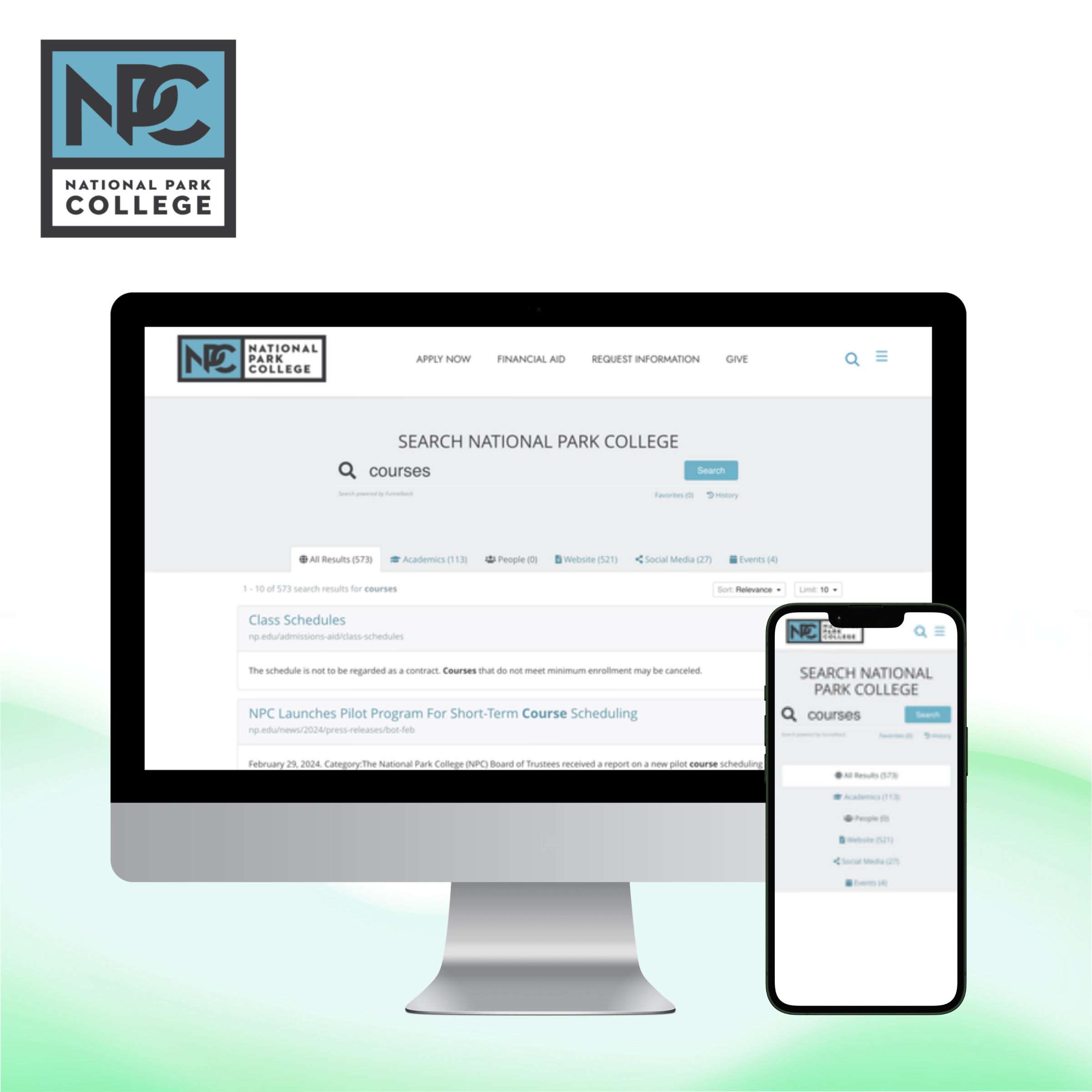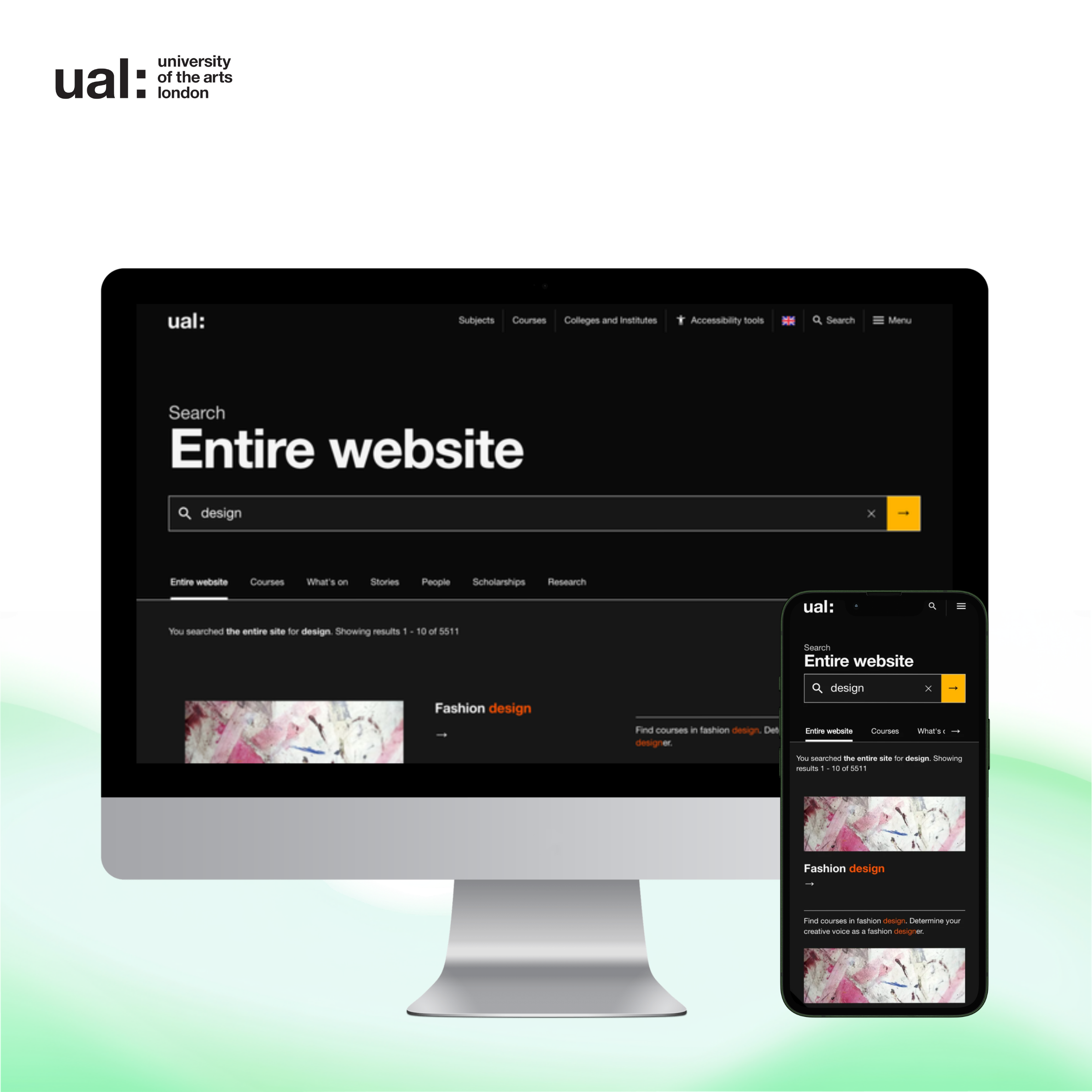
Surface content from anywhere
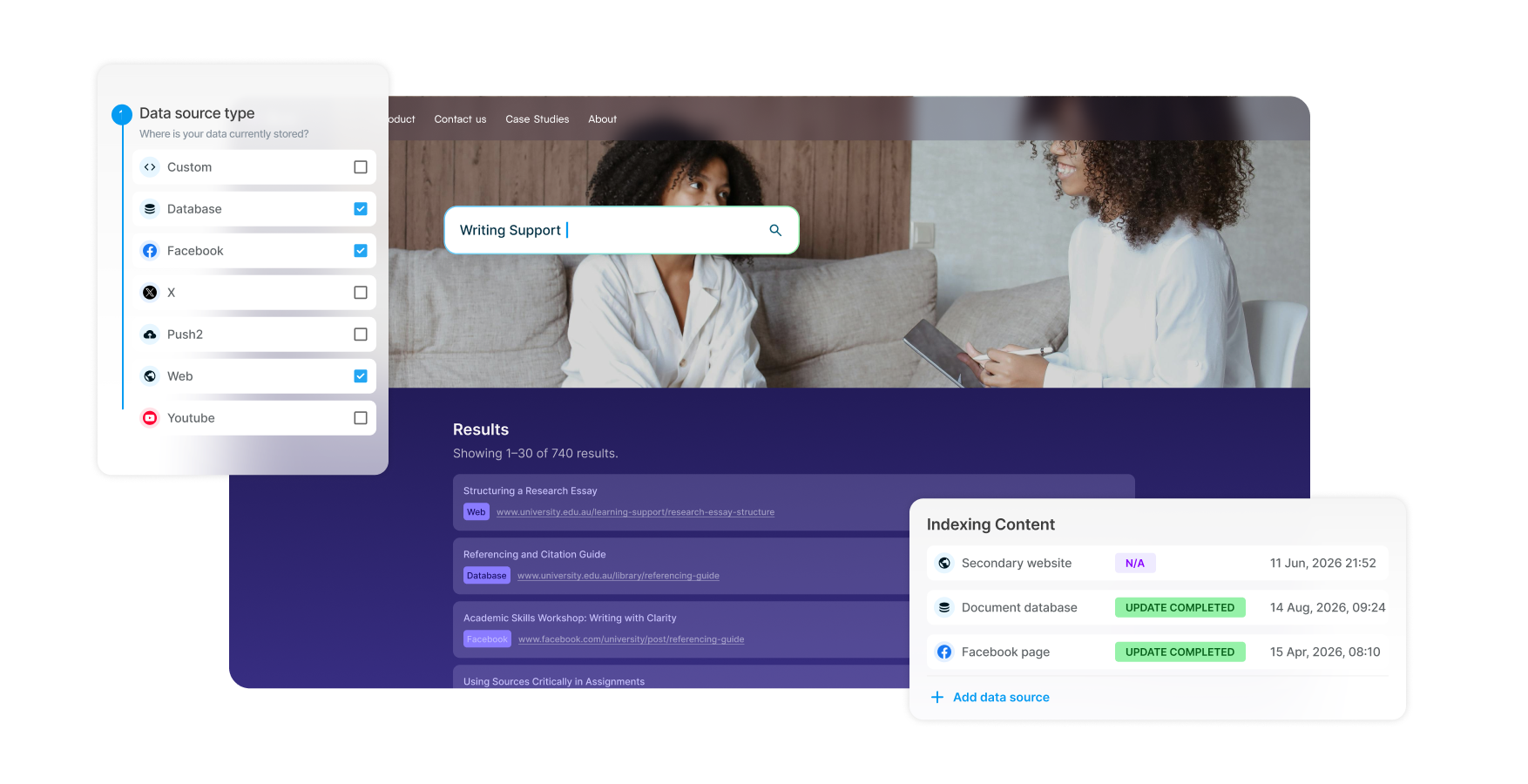
Index content across all your domains, databases, intranets, and document repositories, no matter the vendor. Make everything discoverable in one place so users find what they need faster.
Deliver relevant, accurate search results across all your content sources. Tune ranking, promote key content, and refine performance over time so visitors consistently find what they need.
When visitors know exactly what they’re looking for - specific document titles, staff details, department names - they need reliable matches.
While on-site conversational search supports natural-language discovery, on-site keyword search delivers precise results for specific searches and ensures visitors can always find content, even when AI can't provide an answer. Combined, the two can make for a powerful, high-converting site search experience, providing both governance and precision.
Accurate, relevant results on the first try. Better search means lower bounce rates, higher engagement, and increased conversions.
CMS-agnostic crawling gathers content from any platform or format, breaking down silos for a unified search experience.
Implement Keyword Search in one week with your content as-is, then refine with built-in optimization tools to improve both search and content quality.
Index content across all your domains, databases, intranets, and document repositories, no matter the vendor. Make everything discoverable in one place so users find what they need faster.
Separate content into targeted subsets for specific audience groups. Public users see public content, staff access internal resources, and students see course materials. This means better security, more relevant results, and visitors who aren't overwhelmed by unhelpful or incorrect page links.
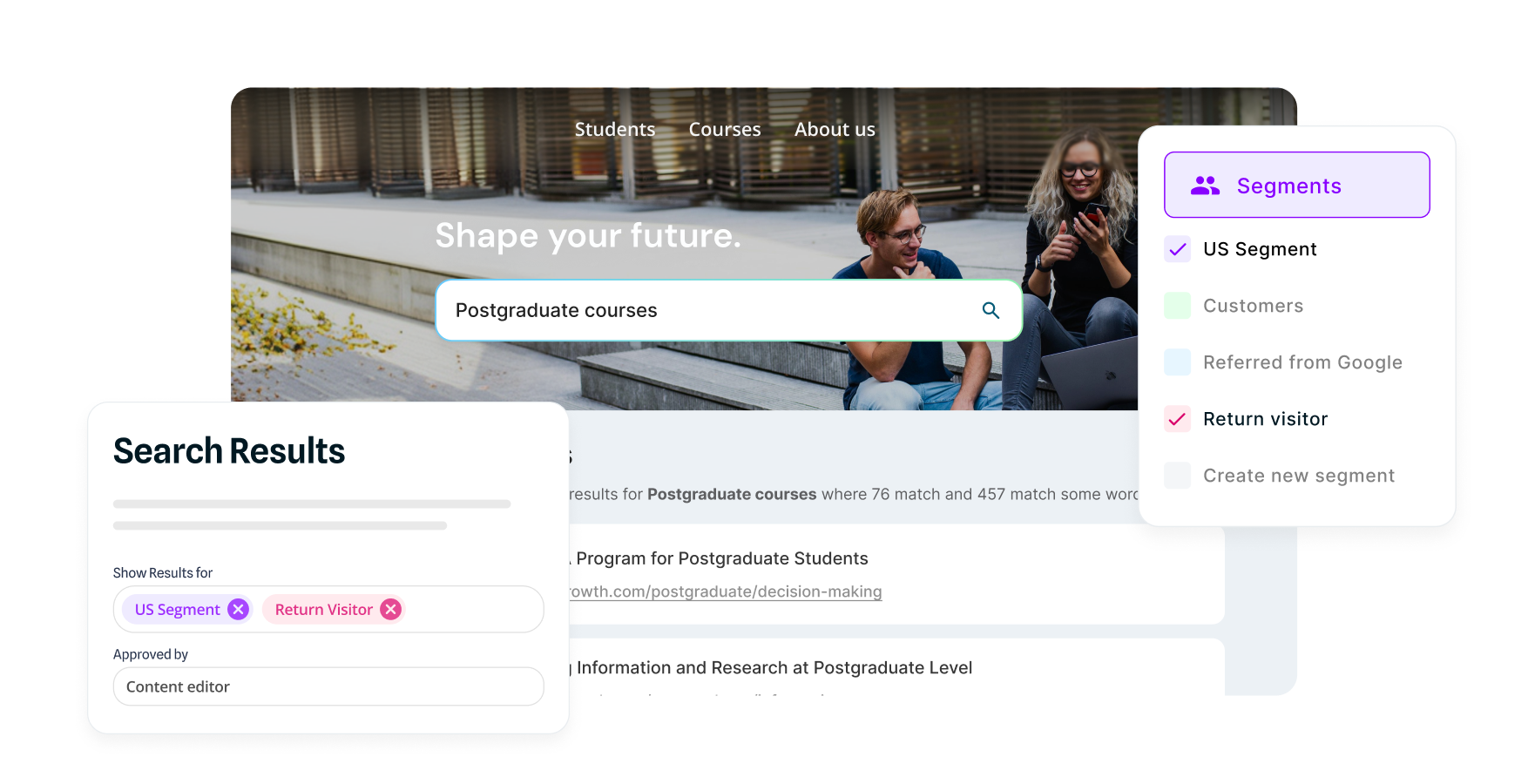
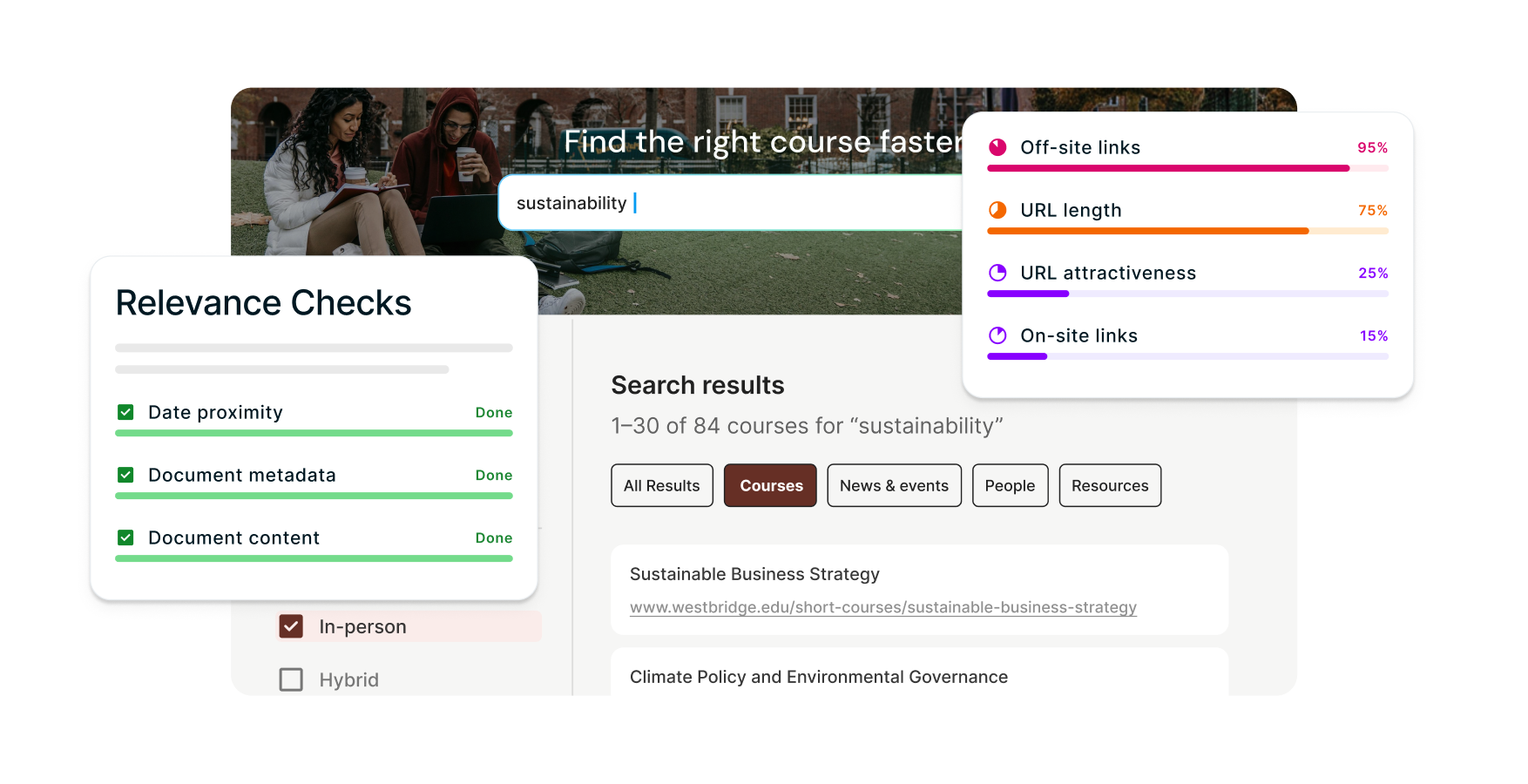
Most search engines look at a few basic factors. Keyword Search weighs 70+ signals - including content authority, freshness, document type - to understand what your audiences actually want. The algorithm learns automatically based on real click behavior and your guidance, improving continuously and delivering more accurate, audience-specific results over time.
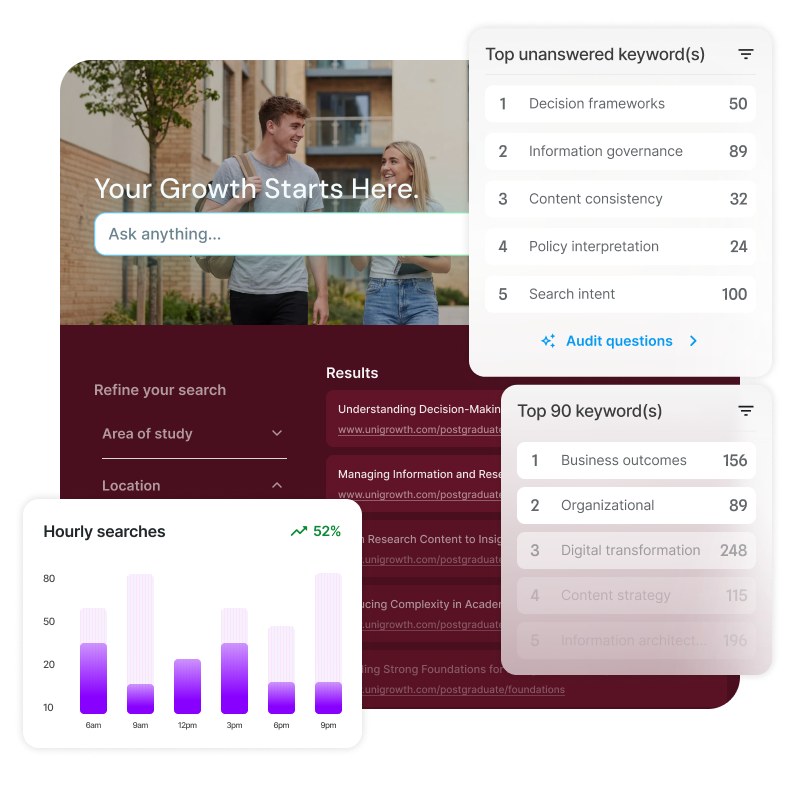
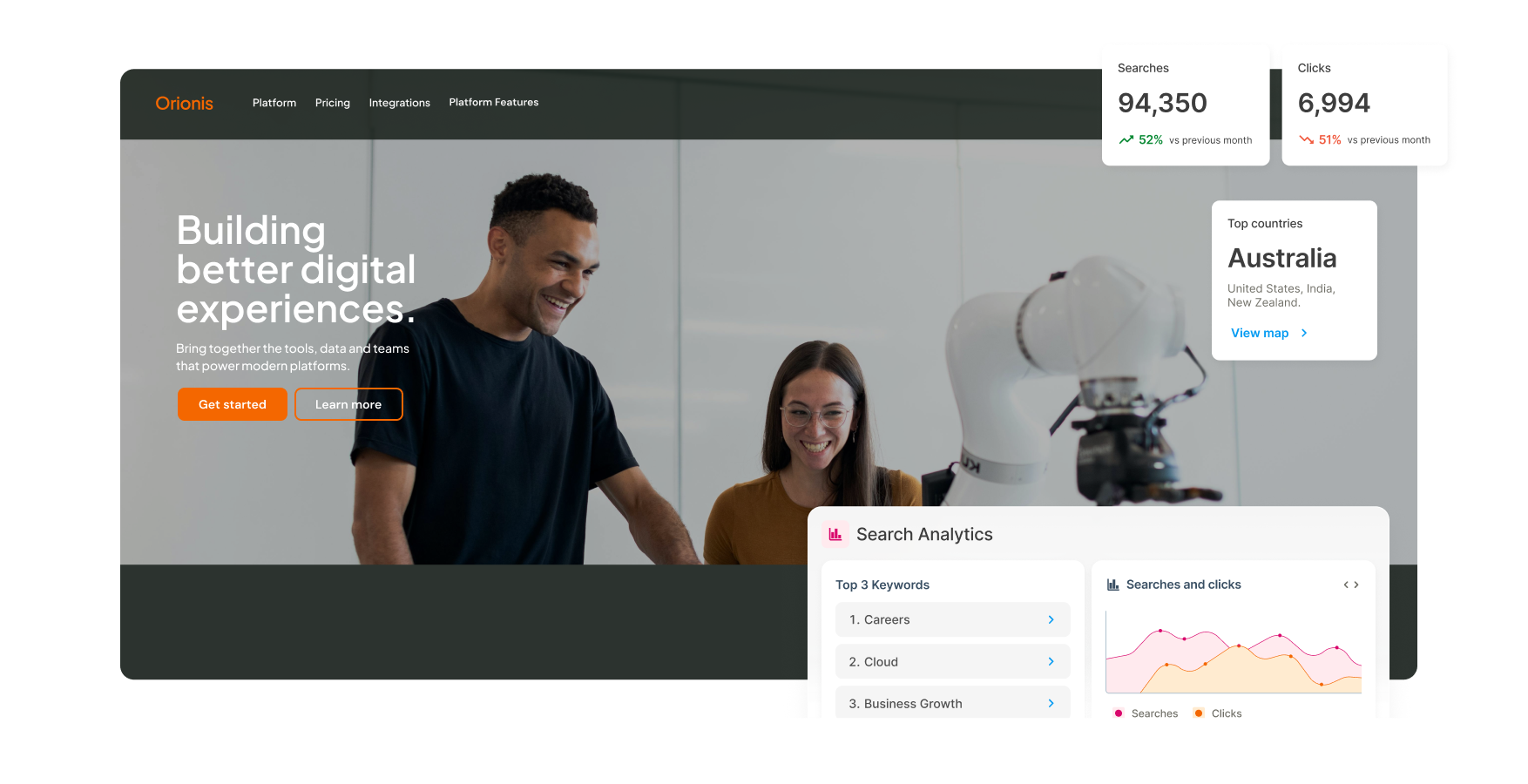
What are people searching for? What do they actually click on? What queries are going unanswered? Analytics reveal content gaps and optimization opportunities you'd never spot manually. Use real user behavior data to improve search performance and guide your content strategy over time.
Video: See Keyword Search in action. Captions and transcript available on playback.
Watch how Keyword Search – a capability of Squiz Funnelback Search – delivers the most relevant results every time.
Hi, I’m Davila. In this video, I’ll give you an overview of Funnelback, the search engine within Squiz DXP, and walk you through several of its features. You’ll see how it helps users discover content more effectively across your digital platforms.
Funnelback search is managed through a browser-based dashboard, accessible from desktop or mobile.
From here, you can configure search results pages and manage the index for each of your data sources.
Let’s start by looking at how to add a data source.
Funnelback includes a range of pre-built data source types, including websites, databases, directories, and social media platforms. This allows you to make all of your content searchable, regardless of where it lives or what format it takes.
In this example, we’ll crawl and index a website. Funnelback guides you through the process step by step. You enter a name for the data source, paste in the website URL, and then choose whether to exclude any content. For example, you might decide not to crawl events pages or certain non-HTML file types.
You can then run a full update immediately so the content is indexed and ready to use.
Once your content has been indexed, you can add the data source to an existing search package—or create a new one if needed.
Next, you choose the search results page you want to edit and display your data on.
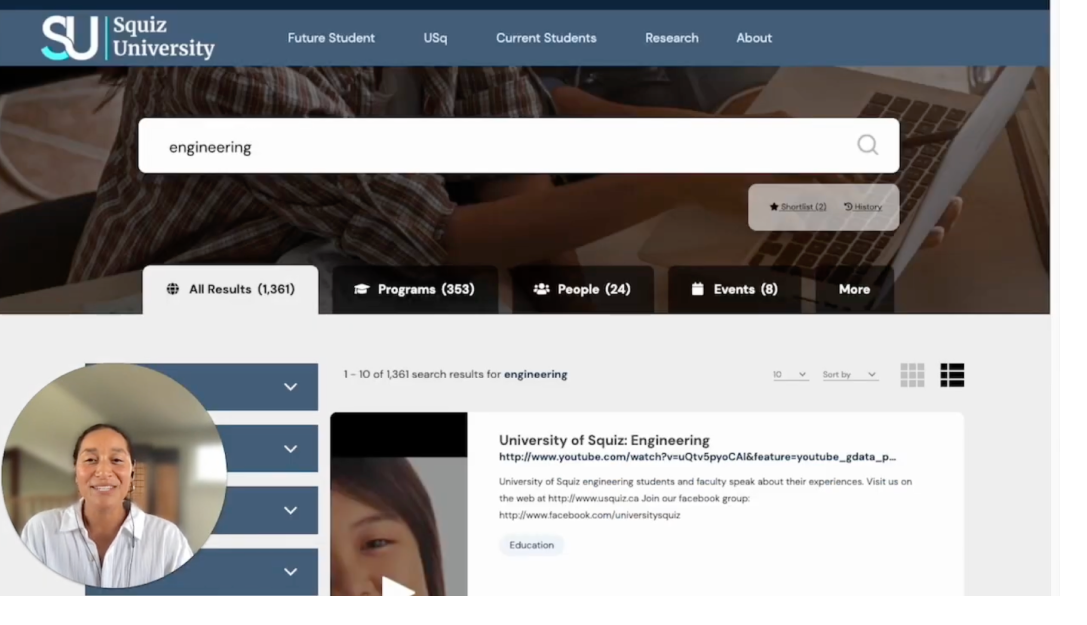
From here, you can update the template, adjust page configurations, or review analytics. In this example, we’ll search for “engineering” to see how the results page works.
Squiz provides ready-made search interface templates that help you get started quickly. These include built-in capabilities such as spelling correction, word expansion, accurate result ordering, and more.
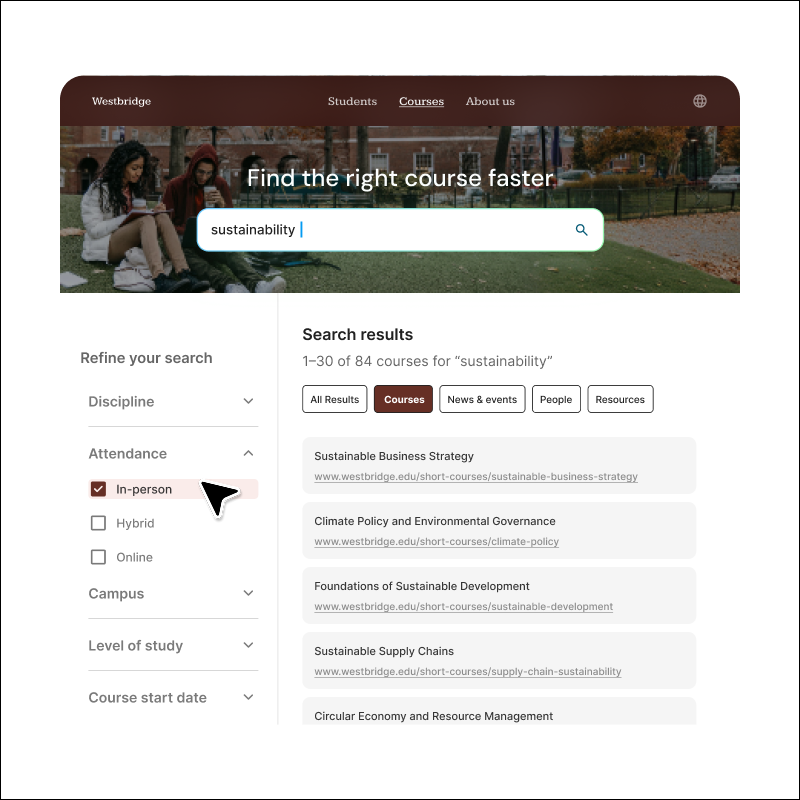
You can also configure the interface to segment content into tabs, making it easier for users to navigate across different content types. Filters can be added to refine results based on metadata such as date, format, or other indexed attributes.
Search results can also be displayed differently depending on the content type. For example, a website page may appear differently from a video result or a course listing, based on the metadata available.
If users don’t find what they need on the first page of results, Funnelback can also suggest related searches. These are dynamically generated topics connected to the original query, helping users refine or expand their search more quickly.
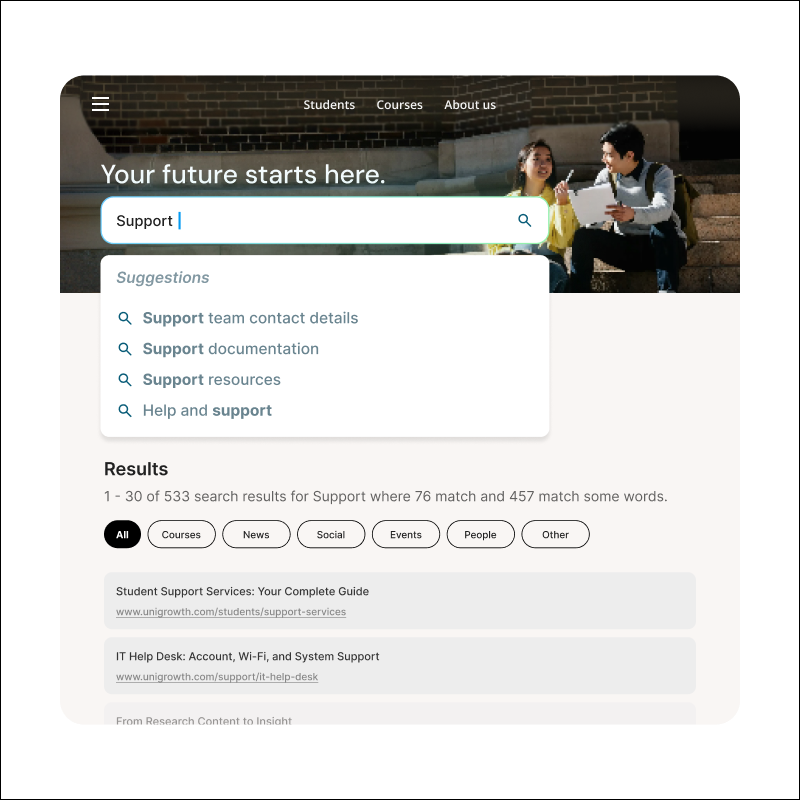
Autocomplete can also be configured to provide real-time suggestions as users type. These suggestions can be simple keywords or richer result previews, such as people, programs, or other specific content types.
Users can also save results they’re interested in and return to them later using shortlist functionality. Search history is also retained, allowing them to revisit previous searches and clicks.
Funnelback includes built-in search analytics with every search experience you create.
This gives you instant visibility into user behavior and helps you understand what people are searching for.
You can review monthly summaries showing searches, clicks, and click-through rates. You can also dive deeper into specific queries to identify the most common search terms.
Search analytics also highlights pain points, such as searches that return zero results. This helps you understand what users are looking for but can’t currently find.
You can see which results are being clicked most often, helping you decide which pages need to stay current and relevant. If you’ve configured search filters, you can also track how frequently they’re being used.
A locations map shows where your search users are coming from, based on IP data, and these reports can be exported if needed.
Trend alerts notify you when there are sudden spikes in search activity. This helps you identify emerging topics quickly and take action, whether that means adding synonyms, promoting a result, or reviewing what users are seeing for a particular query.
Together, these insights help you improve the search experience over time and increase user satisfaction.
A common search challenge is that different audiences use different language.
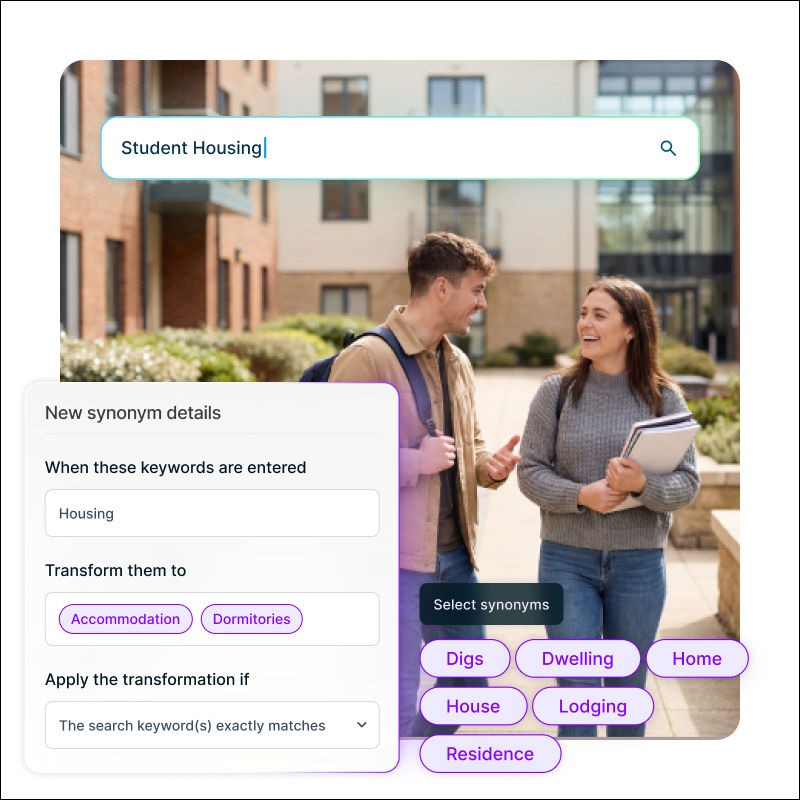
Instead of changing your content to match every possible term, Funnelback allows you to create synonyms on the fly so users still find the right information.
This is especially useful for acronyms, regional differences in language, or common misspellings that aren’t covered by standard spelling corrections.
For example, you might map “coding” to “programming” and “computing.” Before publishing the synonym, the search results may only return content directly related to coding. After publishing it, the results expand to include programming and computing content as well.
This ensures users receive the right information regardless of the language they use.
When you need to adjust search results quickly without changing the source content, Funnelback’s Curator tool gives you full control over what users see.
Both technical and non-technical users can use it to reorder results or display specific content for particular queries.
For example, you might create a rule so that whenever someone searches for “engineering,” a specific engineering course appears at the top of the results.
You can also add a call to action above the results—for example, highlighting engineering scholarships with a link and custom message. This call to action can point to any page, whether it’s in the search index or not.
Curator makes it easy to control the search experience without technical overhead or lengthy training.
One of Funnelback’s key differentiators is the ability to tune the ranking algorithm.
Every organization has its own content structure and business priorities, so a one-size-fits-all ranking model often isn’t enough.
Funnelback provides a non-technical interface that lets you create a tuning set by defining keywords and the URLs that should rank highly for them.
For example, you might create training data for the keyword “events” by identifying the most relevant pages you want returned.
Once enough training data is in place, you can run a tuning process. Funnelback analyzes features such as metadata, dates, and URL structures to determine what ranking signals matter most for your organization.
After the tuning run, you’ll receive an overview of how much your search relevance could improve if the updated ranking model is applied.
This is especially useful when you want to improve overall search performance rather than manually curating individual results.
This is just a snapshot of what you can do with Squiz Search and its underlying engine, Funnelback.
From indexing content and building tailored search experiences to analytics, synonyms, curation, and ranking optimization, Funnelback gives you the tools to create a more useful and effective search experience for your users.
Book a demo with our team to explore more features and see how Squiz Search can support your digital experience goals.
20+ years of proven accuracy
Battle-tested search infrastructure trusted by organizations where accuracy is non-negotiable.
Enterprise-scale performance
Handle millions of documents and thousands of users while maintaining fast response times.
Fast implementation
Implement keyword search within one week. No lengthy replatforming or data cleanup.
No vendor lock-in
Indexes content from any source, regardless of vendor. Your search stays consistent even as systems change.
Built for diverse use cases
One solution for public websites, intranets, portals, and knowledge bases across your organization.
AI-ready foundation
Built on infrastructure that also powers on-site conversational search. Expand when you’re ready.
Learn what makes site search effective, from core features to best practices, so you can evaluate solutions with confidence.
“We ran a detailed comparison looking at results across 30 search terms, and Funnelback Search - with basically out-of-the-box indexing - provided better results for 26/30 of the terms.”
Keyword Search - a capability of Squiz Funnelback Search - indexes content across all your sources: CMS pages, blogs, databases, intranets, and document repositories, regardless of vendor or platform. It's particularly effective at processing unstructured data that doesn't fit neatly into traditional database formats. This means your audiences can find information buried in PDFs, legacy documents, and scattered content that would be difficult to search through using conventional methods.
Squiz Funnelback Search is highly customizable, from the search interface users see to the results they get.
For the search interface, you can customize the look and feel to match your brand. Beyond visual styling, you can configure the available filters, adjust auto-completion settings and data sources, and control what information appears in results (like summaries, categories, and the number of results per page).
For search results themselves, the curator lets you set rules to boost urgent announcements, demote outdated content, or display targeted ads for specific searches. You can also create targeted subsets of content for specific audiences, controlling exactly what each user group sees. The algorithm handles most ranking automatically while giving you manual control when needed.
Yes. Funnelback Search was built for organizations where search needs to work at scale. We have 25+ years of experience working with knowledge-heavy organizations like government agencies and universities that manage huge content volumes and need search to perform reliably. The system handles millions of documents and thousands of concurrent users while maintaining fast response times.
A standard implementation can be completed within one week. It works with your content as it is, so there's no lengthy replatforming or months-long data cleanup required. After implementation, you can use the built-in content auditing tools in Keyword Search to optimize search performance and content quality at your own pace.
Keyword-based search and conversation-based search solve different problems, and most organizations benefit from using both.
Keyword-based search matches your visitors’ search terms to indexed content and returns a list of relevant links. The Keyword Search capability within Squiz Funnelback Search evaluates 70+ signals, including metadata, freshness, and user behavior. Teams get direct control: boost important pages, apply synonyms so "lawyer" finds "solicitor," configure faceted navigation (filters by category, date, or type), and even use Boolean operators (AND, OR, NOT) for advanced searches. When someone searches for a specific document name or technical term, keyword search delivers precise matches.
Conversation-based search – including Funnelback Search's own Conversational Search capability – handles natural-language questions and returns a direct answer in plain language, with the ability to ask follow-up questions. Instead of keyword matching, it uses Retrieval Augmented Generation (RAG) to retrieve relevant indexed content, then generates a synthesized response. This makes it ideal for exploratory queries like “How do I apply for a permit?” or “What support services are available?” where users need guidance, not a list of documents to sift through.
In short:
Together, they create a complete search strategy – combining precision, governance, and natural-language experience.