Create and launch tests in minutes
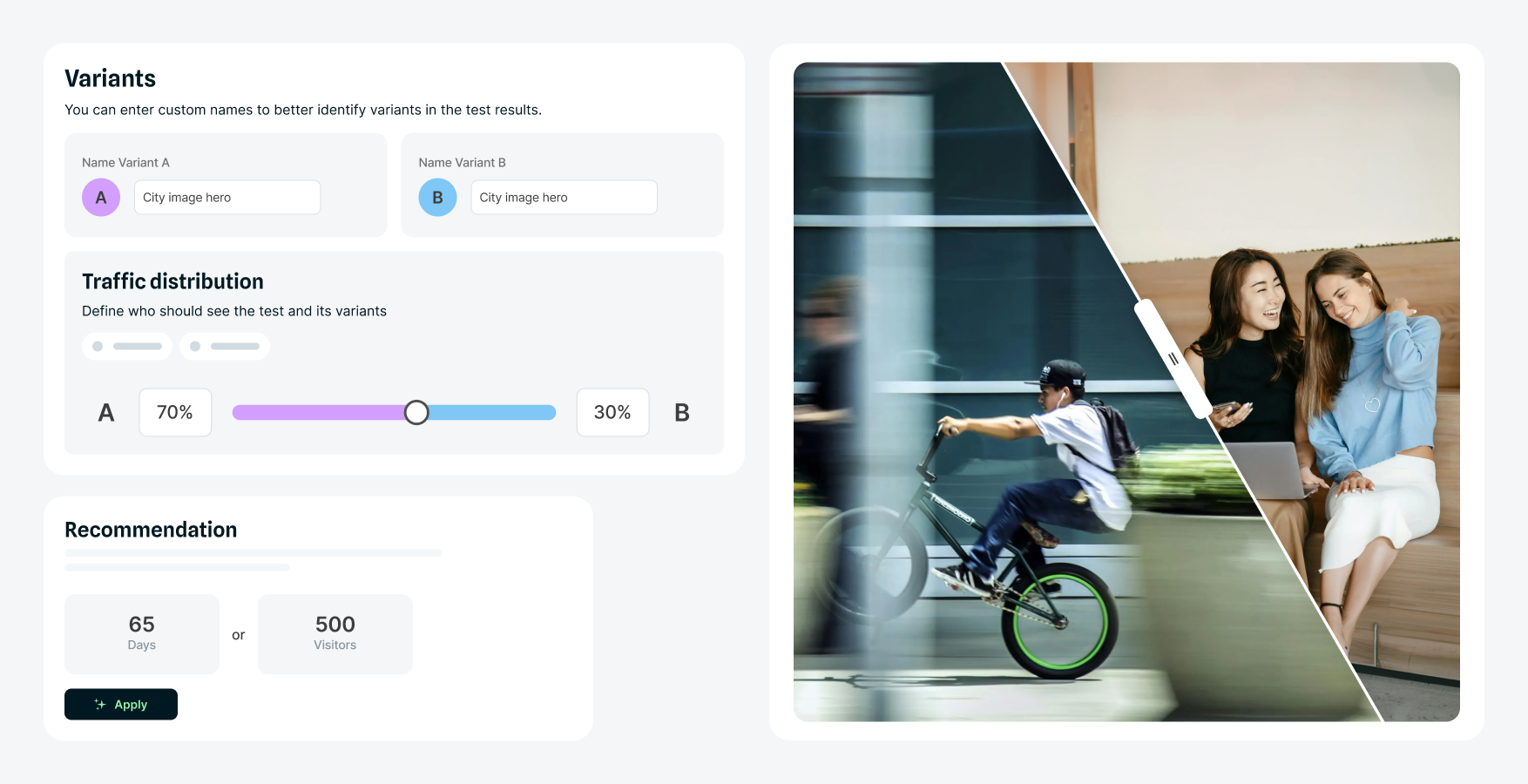
Build test variations using the same visual page builder your team uses for content. Test headlines, images, CTAs, and more, using AI-powered prompts to instantly generate variant copy. No tickets or code required.
Give your marketing team the power to run A/B tests, map customer journeys, and refine what's working, so every visit delivers better outcomes.
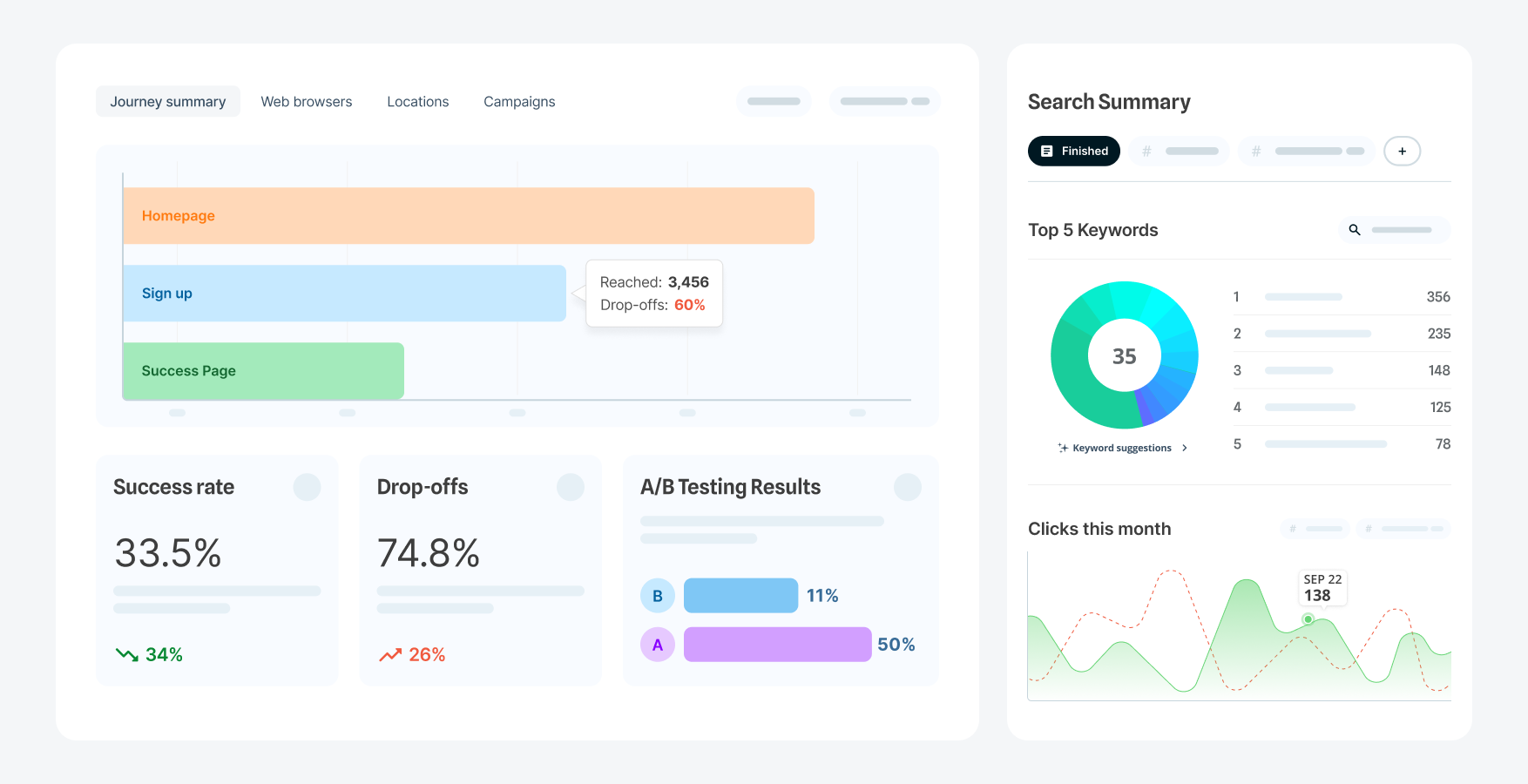
Understand what's working and what's not. See where users drop off, what paths lead to conversion, and which content drives results.
Run A/B tests to improve headlines, CTAs, layouts, and entire user journeys – no code required.
Marketing controls testing and acts on insights immediately without waiting for development cycles or submitting tickets.
Build test variations using the same visual page builder your team uses for content. Test headlines, images, CTAs, and more, using AI-powered prompts to instantly generate variant copy. No tickets or code required.
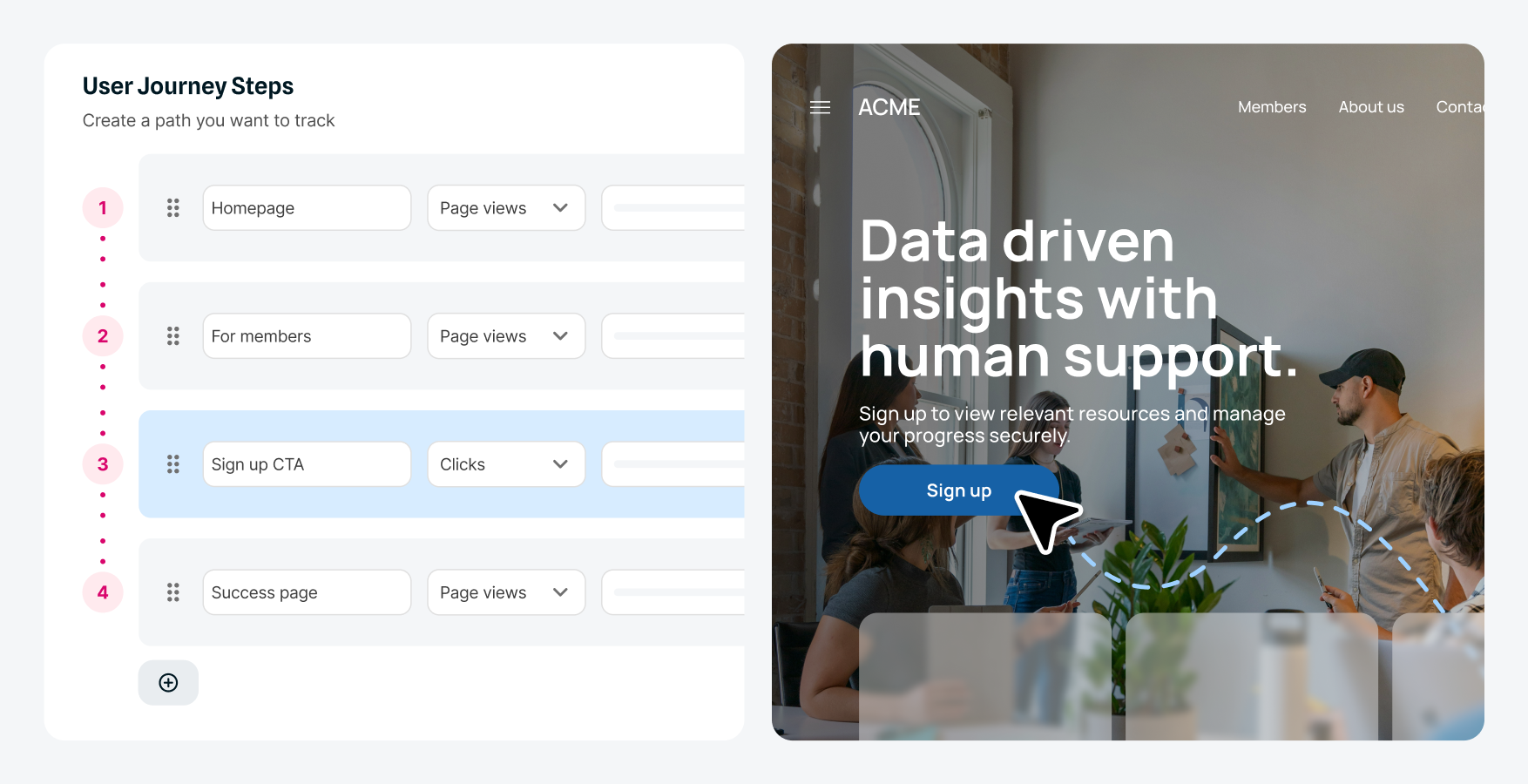
Visualize how different segments move through your site and see where they abandon their journey. Identify which pages create friction, so you can focus your testing and optimization efforts where they'll have the biggest impact on conversion.
See which variation performs better while tests are running. Track metrics including conversion rate and funnel drop-off points across segments. Monitor statistical significance in real time and compare variation performance. Easy access to analytics lets you act on insights quickly rather than waiting for quarterly reports.
Video: See behavioral analytics in action. Captions and transcript available on playback.
See how non-technical teams can identify conversion problems, test solutions, and measure the impact, all without developer involvement.

In this demo, I’ll show you how non-technical teams can streamline important user journeys and boost conversions using user journey mapping and A/B testing in Squiz DXP.
We’re part of the marketing team at TNG Lawyers, and we’re trying to increase signups for a law conference.
First, let’s look at the user journey we want to track. This helps us understand how users are engaging and identify any drop-off points that need optimization.
The journey starts with an email invitation. When users click the call to action, they arrive on the conference landing page, where they can view event details and speaker information.
From there, they click “Register now” to go to the registration page, where they complete the form. After submitting, they reach a confirmation page, where they can download an information pack.
Now let’s use user journey mapping in Squiz DXP to track how users move through this process—from the email through to registration.
Within the DXP, I navigate to the Optimization capability and open user journey mapping. Here, I can build the journey step by step.
I start by naming the journey and adding a description. I also choose to track interactions across all devices, including desktop and mobile.
Next, I define each step:
This allows us to track how many users progress through each stage—and where they drop off.
A couple of weeks later, we review the data.
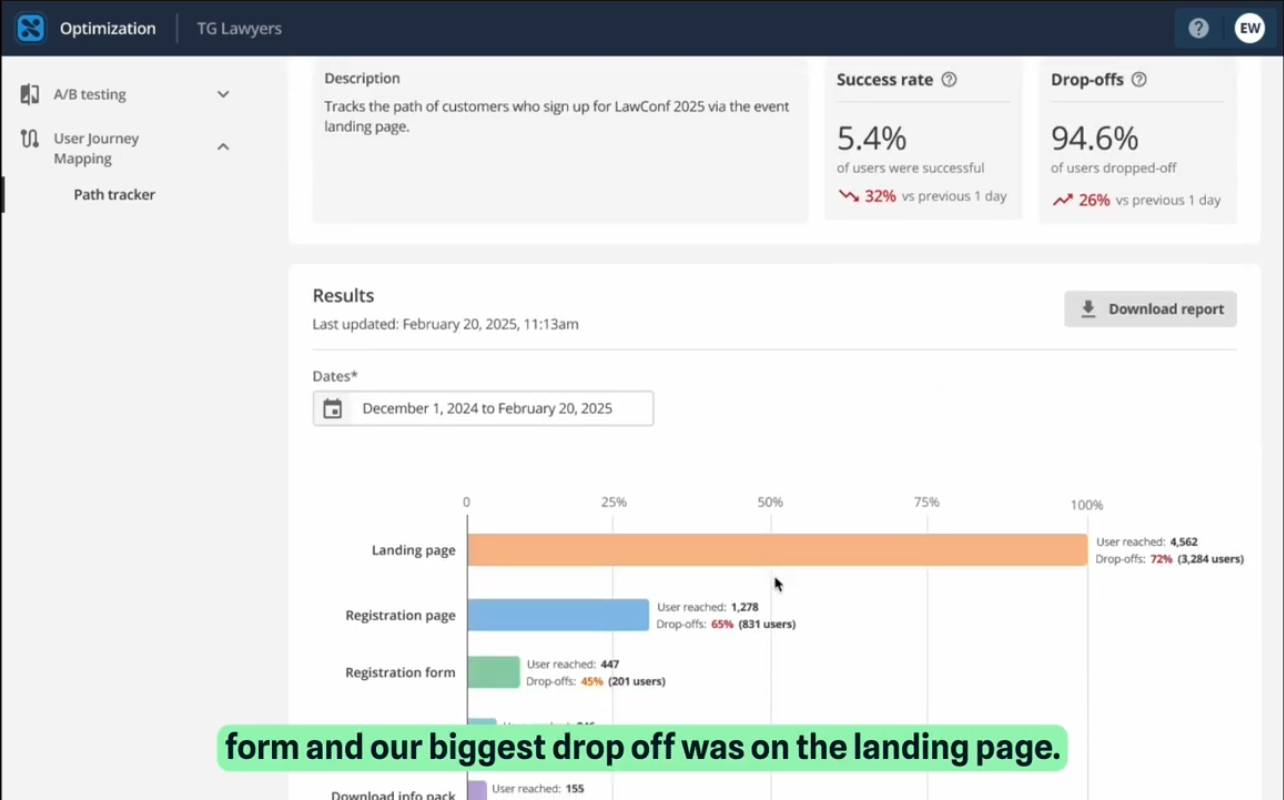
We can see that only 5.4% of users completed the form, with the biggest drop-off occurring on the landing page.
Within the analytics, we can explore detailed metrics such as drop-off rates, users reached, and average time on page across different devices. We can also see which browsers, locations, and marketing campaigns users are coming from.
These reports can be downloaded and shared with stakeholders for further analysis.
Now that we’ve identified the landing page as the biggest drop-off point, the next step is to improve its conversion rate.
Back in the Optimization capability, I open A/B testing to create a new experiment.
For this test, I focus on the call-to-action banner. I add a test name and description, define the domain, and set up two variants:
Success will be measured based on the number of clicks. I choose to start and end the test manually.
Next, I open the landing page in the visual page builder and apply the A/B test.
I connect the test to the banner component and duplicate the existing content to create the second variant. Then, I update the messaging to make it more urgent.
An icon indicates that the component is part of the test. Once the changes are published and the test is live, we let it run for a couple of weeks.
After reviewing the results, we can see that the urgent version—variant B—achieved a higher conversion rate.
We implement variant B on the landing page and return to user journey mapping to measure the impact.
The completion rate increases from 5.4% to 7.3%.
With real-time insights into how users interact with your most important journeys, you can identify drop-off points, test improvements, and continuously optimize performance.
This allows you to streamline user journeys, boost conversions, and ensure your website helps users achieve what they came to do.
Edit visually, no code
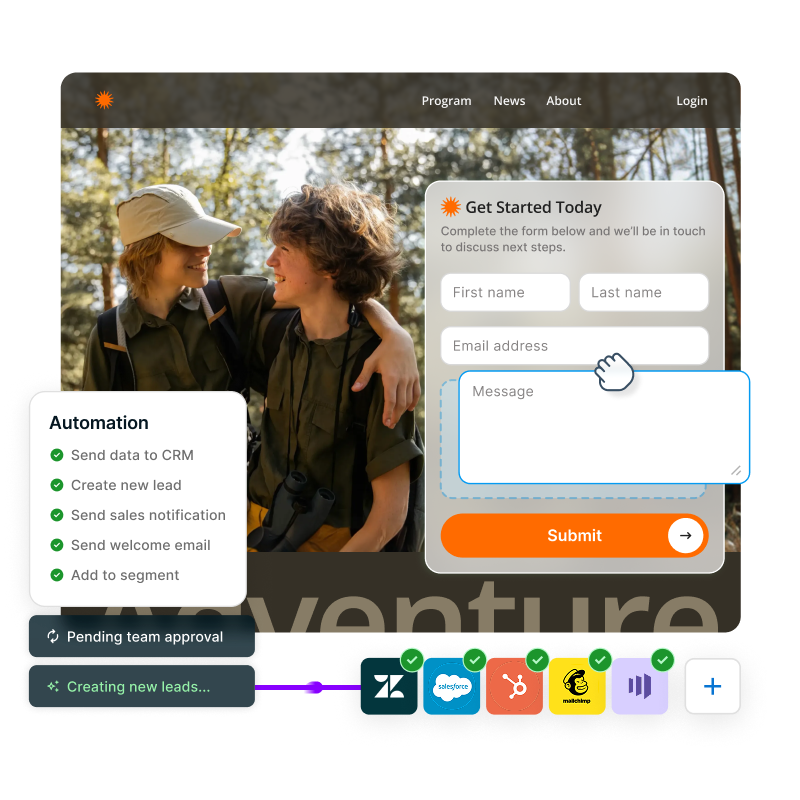
Test headlines, images, CTAs, layouts, and forms through a visual editor without code or developer time.
Generate variants with AI
Use AI prompts to instantly generate text variations. Create multiple versions of copy without starting from scratch.
Test at scale
Run multiple tests across different pages simultaneously. Increase testing velocity from quarterly to weekly or daily.
Trust your data
Know your results are reliable, not lucky streaks, with statistical significance calculations built in.
Analyze by segment
Break down analytics by audience to understand how first-time visitors, returning users, and other segments behave.
Avoid integration headaches
Skip complex setup and maintenance processes. With our native CMS integration, there are no compatibility issues between separate systems.
Save on licensing
Replace standalone testing platforms that cost tens of thousands per year. Everything's included with your DXP subscription.
Explore how to optimize an event registration page from start to finish. Just one example of what you can do with built-in testing, personalization, and analytics.
You can A/B test any component or element on a page: headlines, subheadings, body copy, images, CTAs, button text, form fields, page layouts, and more. If you can edit it in the CMS, you can create a test variation. This flexibility means you're not limited to simple headline tests; you can test completely different approaches and creative variations.
Most websites with at least several thousand visitors per month have sufficient traffic for meaningful tests. Our A/B testing feature includes a built-in calculator that recommends the ideal test duration based on your traffic and conversion goals, so you know how to set up each test for statistically significant results. Focus on high-impact pages first, like your homepage, product pages, or lead capture forms, where even modest improvements drive significant results. Even sites with lower traffic can benefit significantly from journey mapping, which doesn't require high traffic thresholds but still helps you understand user behavior and identify optimization opportunities.
It can. Enterprise experimentation platforms can cost tens of thousands per year, depending on traffic and features. Behavioral Analytics is included with your DXP subscription, integrates natively with the CMS, and eliminates context switching between separate interfaces. If you currently pay for other testing platforms, you can likely eliminate those costs while gaining faster testing velocity.
This really depends on your traffic volume and test goals. High-traffic pages can show statistically significant results in days, while lower-traffic pages might take 2-4 weeks. Our built-in calculator recommends the ideal test duration when you set up each test, taking the guesswork out of timing.
Squiz DXP's native Behavioral Analytics capability can be used in isolation or to complement your existing analytics stack. You can continue to use Google Analytics (GA4) for site-wide analytics.
No. The Behavioral Analytics capability is part of our integrated, composable Digital Experience Platform (DXP), alongside other capabilities such as Personalization, Optimization and CMS.
This unified approach allows teams to manage their entire digital experience inside one platform, while also scaling their usage as they need to.