
Track mission-critical journeys
Define the exact steps in your key journeys - like registration flows or booking processes - and see exactly how users navigate your most important content and where they succeed or struggle.
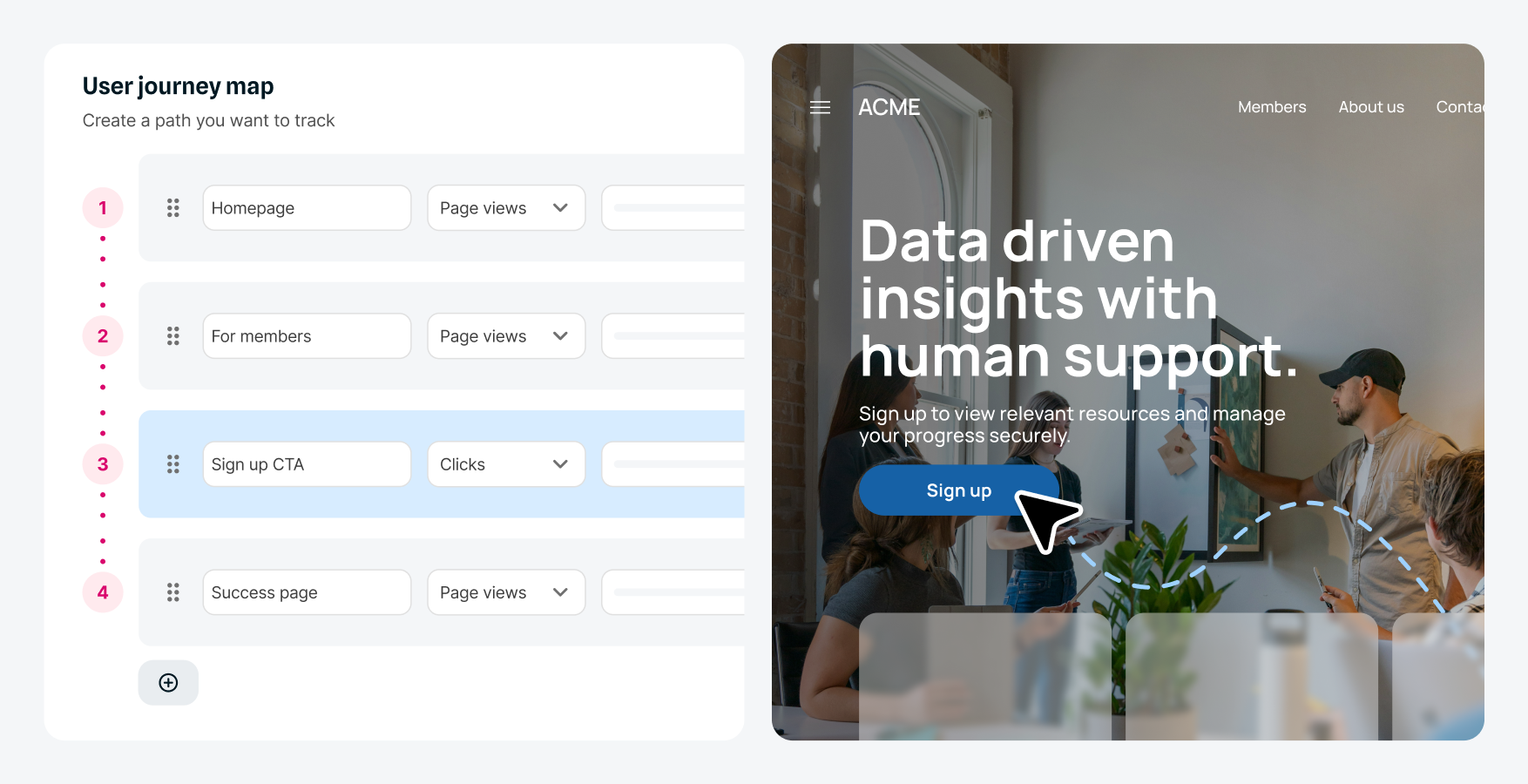
Track the journeys that matter most to your organization, see where visitors drop off, and fix the friction points that hurt conversions. Turn behavior data into better experiences.
Remove the guesswork! With user journey mapping, visualize and analyze important user journeys to understand how visitors progress and where they exit. With easy-to-read tables and bar charts depicting each flow, see traffic volumes, engagement by device, progression rates and drop-offs between steps.
Replace assumptions with clear journey visualizations that show progression percentages and exit points across defined steps.
Identify the highest-impact optimization opportunities. Fix what will actually improve results, rather than guessing at what might work.
Base decisions on real behavior data. Create improvements that genuinely help visitors achieve their goals on your site.
Define the exact steps in your key journeys - like registration flows or booking processes - and see exactly how users navigate your most important content and where they succeed or struggle.
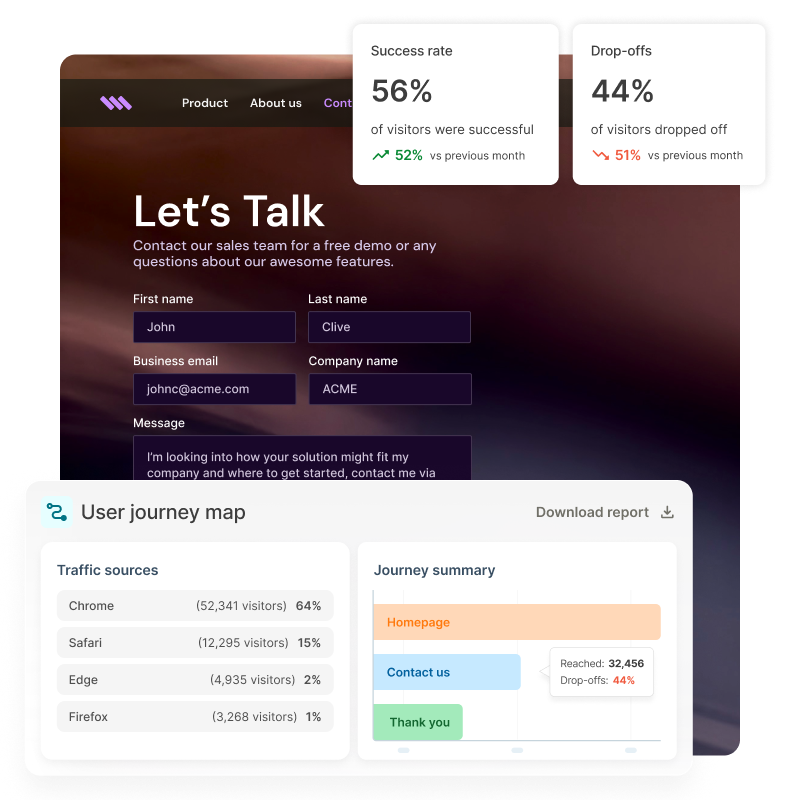
Monitor how visitors progress through your key journeys with regularly updated reports showing traffic patterns, completion rates, and drop-off trends. Spot issues early and identify which paths perform best.
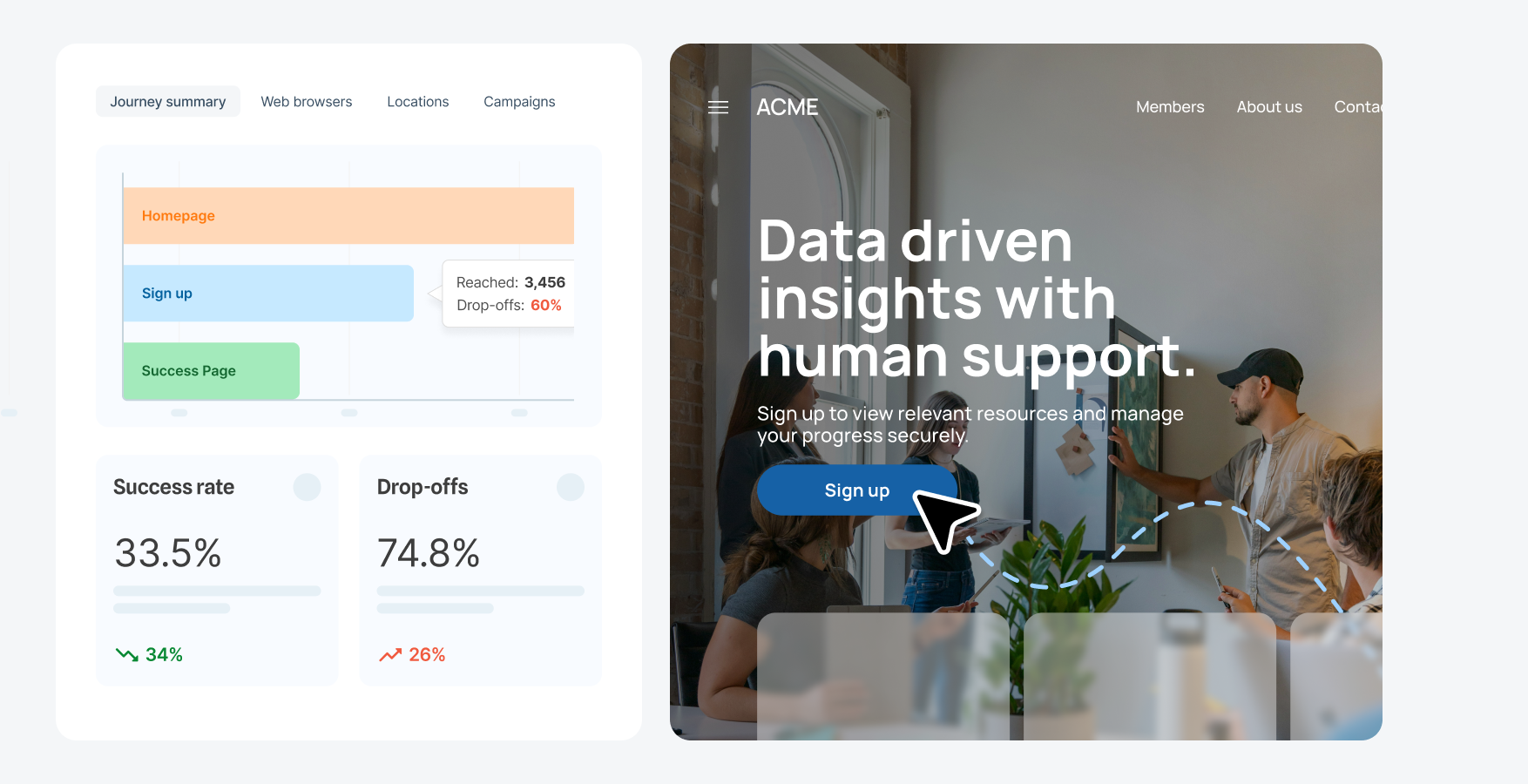
Use journey data to make informed decisions about where to focus your optimization efforts. Leverage A/B testing feature to test variations at the highest-impact points and measure results to ensure every change improves the user experience.
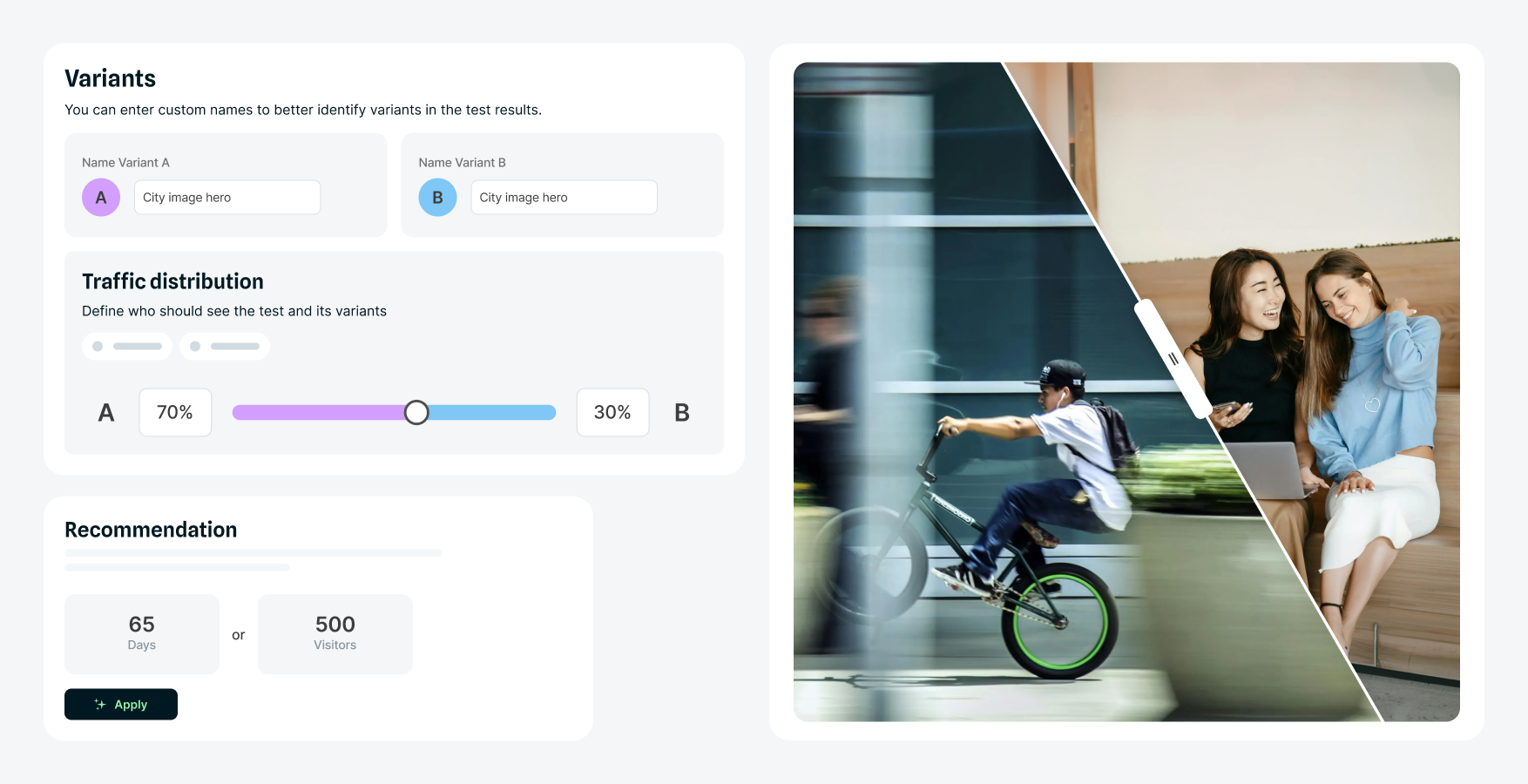
Compare journey flows by audience segments - like new vs. returning visitors or campaign traffic. Identify where specific audiences struggle and use those insights to inform personalization and conversion rate optimization strategies.
Pinpoint the specific pages and steps where users exit your key flows. Understand which elements create friction and prioritize optimization efforts where they'll have the biggest impact on conversion rates.
Video: See user journey mapping in action. Captions and transcript available on playback.
Watch how simple it is to set up integration flows, whether you're using existing recipes or building from scratch.
In this demo, I’m going to show you how your non-technical team can streamline important user journeys and boost conversions using user journey mapping and A/B testing in Squiz DXP.
We’re part of the marketing team at TNG Lawyers, and we’re trying to increase sign-ups for our law conference. I’m going to show you the user journey we want to track so we can understand how users are engaging and identify any significant drop-off points that we need to optimise.
The journey starts with an email invitation. Once the user clicks on the call-to-action (CTA), they arrive on the landing page for the law conference, where they can see information about the conference and the speakers. From there, they can click “Register now” to go to the registration page, where they can fill out their details and register. Finally, after registering, they will see a confirmation page where they can choose to download the information pack.
Let’s use user journey mapping in Squiz DXP to track how many people move from the email through to registration. From the DXP, I’ll go into the Optimisation capability to access user journey mapping. Here’s where I’ll start building the path I want to track. First, I’ll give it a name and a description. I also want to track user interactions across all devices, including desktop and mobile.
Step 1: Landing page – track the number of users viewing the page and add the URL. Step 2: Registration page – track page views. Step 3: Form submission – track completed registrations and add the URL. We want to track how many users are dropping off at each stage of this path.
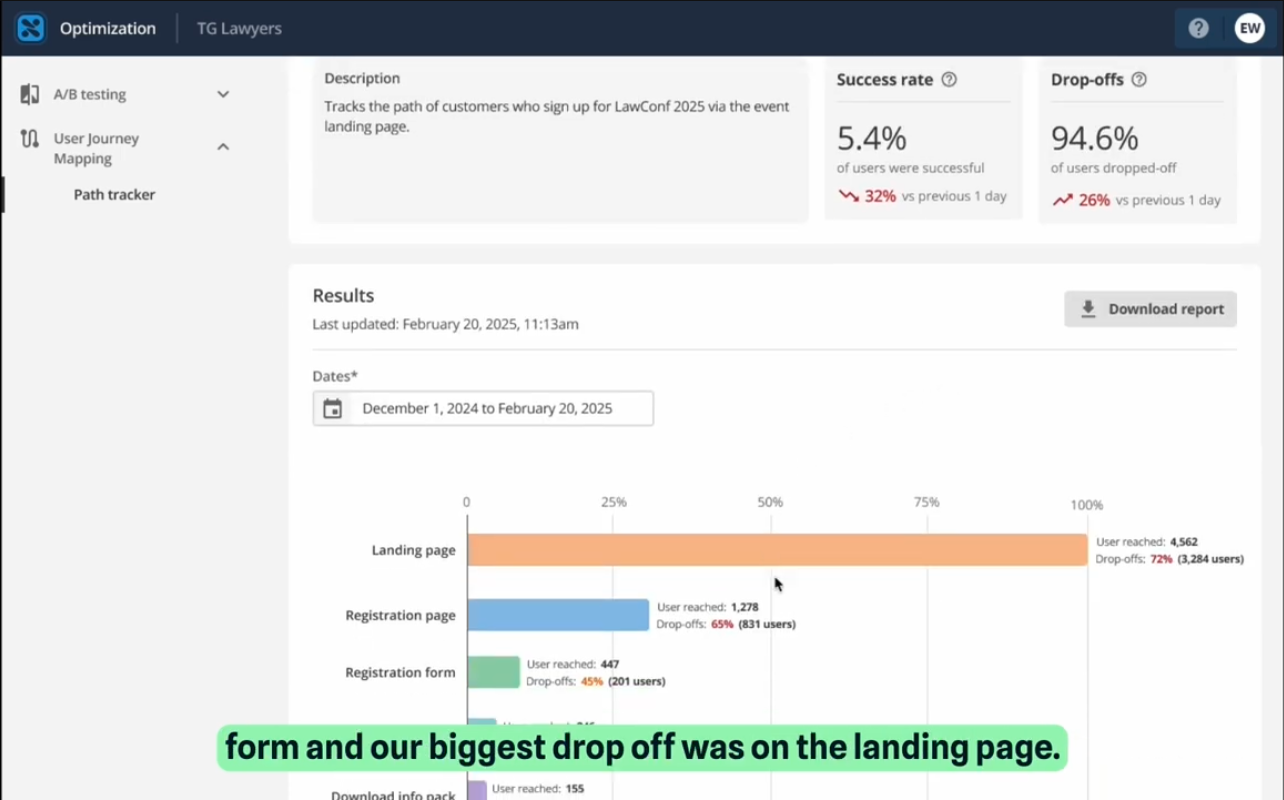
A couple of weeks later, we review the data. We can see that 5.4% of users completed the form, and the biggest drop-off occurred on the landing page. Within these analytics, you can view detailed metrics including drop-offs, users reached, average time on page, and device performance. You can also see which browsers users are using, their locations, and which marketing campaigns they came from. Additionally, you can download this report to easily share insights with stakeholders.
Now that we know the biggest drop-off point is the landing page, the question becomes: how do we improve the conversion rate?
I’ll go back to the Optimisation capability, and this time I’ll open A/B Testing to create an experiment. For this experiment, I’m going to test the content in the CTA banner. I’ll add a test name and description, the domain, and define the variants. Variant A is the current banner, and Variant B is a more urgent, time-sensitive version to see if that increases conversions. I’ll measure success based on the number of clicks and choose to start and end the test manually.
Now I’ll open the landing page in the Visual Page Builder. From here, I can apply the A/B test I’ve just created by selecting the banner component and connecting it. You can now see that the A/B test is connected, and I’m viewing Variant B. To include this variant, I duplicate the existing banner and edit the content to make it more urgent and time-sensitive. The icon indicates that the banner has been included in the test. Now I just need to update the content for Variant B to reflect the urgency.
Once the changes are published and the A/B test is live, we wait a couple of weeks and review the results. We can see that Variant B achieved a higher conversion rate, so we decide to implement it permanently on the landing page.
Looking back at the user journey mapping, we can clearly see the impact: the conversion rate increased from 5.4% to 7.3%.
With real-time insights into how users interact with your most important journeys, you have the information you need to streamline user journeys, boost conversions, and ensure your website helps users achieve what they came to do.
Turn journey insights into targeted experiences. With Squiz Digital Experience Platform, journey mapping connects directly to personalization. If a segment consistently drops off at the pricing page, you can personalize messaging and content to address what that audience needs. Mapping shows where the journey breaks down - personalization helps you put it right.
No-code simplicity
Intuitive interface empowers marketers to analyze, test, and improve journeys without developer support or technical skills.
Quick setup
Start mapping and tracking key journeys immediately, with no lengthy training or complex configuration needed.
Fast, actionable insights
Get timely performance updates without waiting for manual reports, enabling faster decisions and quicker optimization cycles.
Visual dashboard reporting
Clear, shareable insights make it easy to communicate findings and get stakeholder buy-in for optimization efforts.
Included in your DXP
No expensive standalone tools or per-user licensing fees. Everything's included with your Squiz DXP subscription.
User journey mapping works hand-in-hand with A/B testing to deliver powerful results. Identify drop-off points with journey data, then test solutions at those exact friction points.
The visual interface in Squiz DXP’s user journey mapping feature makes building journeys and interpreting data straightforward for marketing and content teams. Clear dashboard reporting helps non-technical stakeholders understand insights and present findings to leadership without needing analyst support.
Squiz DXP’s user journey mapping feature has an intuitive interface that requires minimal training. Users can access comprehensive documentation in the Squiz Help Centre, free self-paced courses on Squiz Academy, and dedicated support via MySquiz for any specific questions.
You can track any multi-step process on your site like registration flows, application processes, contact forms, resource downloads, event bookings, or service inquiries. You define the steps that matter to your organizational goals.
Yes. Journey maps show where users progress or exit. Use this data to redesign steps, simplify forms, adjust content, run A/B tests, or personalize experiences for segments that struggle.